zlib Compression Library
Smaller files and faster transfers with a proven, lossless C library.
Zlib compresses and restores data with the DEFLATE algorithm, writes zlib and gzip streams, and builds on Windows, Linux, macOS and many other systems from one compact source tree.
- zlib license
- Plain C source
- Hosted on GitHub
What Is zlib?
A small C library that sits underneath a huge amount of everyday software, from image files to web traffic.
Lossless compression with a stable format
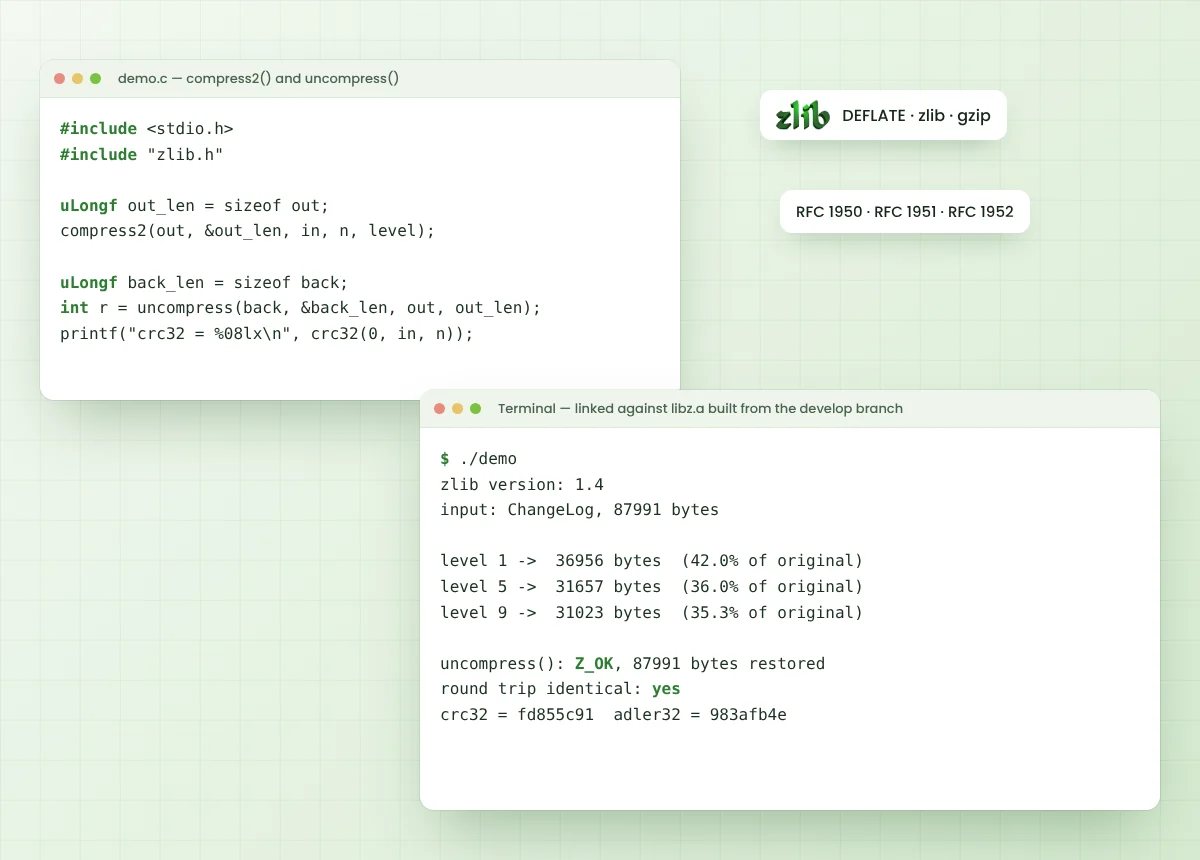
zlib is a general-purpose data compression library that implements DEFLATE, the method described in RFC 1951. It wraps that data in the zlib format from RFC 1950 or the gzip format from RFC 1952, and decompression always restores the original bytes exactly.
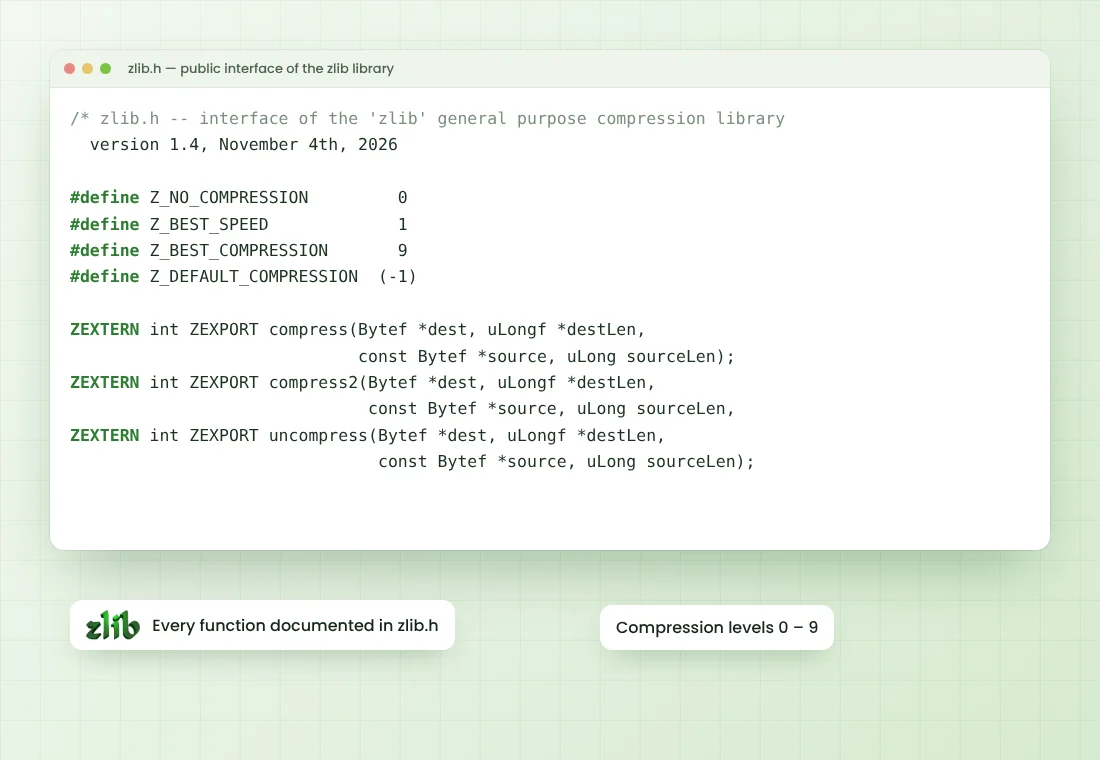
Every public function is documented in zlib.h. Simple calls such as compress() and uncompress() handle whole buffers in one step, while deflate() and inflate() process streams piece by piece for large files and network data.
- Authors
- Jean-loup Gailly, Mark Adler
- Language
- C
- Formats
- zlib, gzip, raw DEFLATE
- License
- zlib license
Key Features of zlib
What the library actually gives your project, straight from its public interface.
Lossless DEFLATE compression
Repeated byte sequences are replaced with short back-references and Huffman codes, and inflate returns the exact original bytes every time.
Three stream formats
One library writes zlib streams (RFC 1950), raw DEFLATE data (RFC 1951) and gzip files (RFC 1952), selected through the windowBits value.
Streaming API
deflate() and inflate() work on chunks, so data far larger than available memory can pass through a small fixed buffer.
Levels and strategies
Levels 0 to 9 trade speed for size, and strategies such as Z_FILTERED, Z_HUFFMAN_ONLY, Z_RLE and Z_FIXED fit specific data.
Built-in checksums
crc32() and adler32() are exposed directly, and both stream formats store a checksum so damaged data is detected on decompression.
Permissive zlib license
The zlib license allows commercial and private use, modification and redistribution with only a few simple notice conditions.
How zlib Works
Data moves through four clear stages, from raw input to a checked, compact stream and back again.
Feed the input
Your program hands bytes to compress(), compress2() or a z_stream set up with deflateInit().
DEFLATE encodes it
LZ77 matching finds repeats inside a sliding window of up to 32 KB, then Huffman coding shrinks the result.
Wrap and check
A zlib header plus Adler-32, or a gzip header plus CRC-32, is added around the compressed blocks.
Inflate restores it
inflate() or uncompress() rebuilds the original bytes and verifies the checksum before reporting success.
Platforms and Build Systems
zlib is distributed as portable C source, and the archive carries build files for many environments.
Operating systems
- Linux and Unix-like systemsconfigure script, Makefile.in and CMake support
- WindowsCMake with Visual Studio, plus makefiles in the win32 folder
- macOSbuilds with the configure script or CMake and a C compiler
- Androidreached from native code through the Android NDK
Build options in the archive
- CMakeCMakeLists.txt with options described in README-cmake.md
- configure and makethe classic Unix route: ./configure, make test, make install
- BazelBUILD.bazel and MODULE.bazel files in the repository root
- Other targetsfolders and scripts for amiga, msdos, os400, qnx, watcom and VMS
You need a C compiler for your platform. Exact compiler and CMake requirements are listed in the README files inside the archive.
Where zlib Is Used
Real places where DEFLATE and the zlib format do their work every day.
PNG image data
PNG stores pixel rows inside a zlib datastream, so image editors, browsers and encoders lean on DEFLATE for every PNG file.
HTTP compression
Web servers and clients use gzip and deflate content encoding to shrink HTML, CSS, JSON and JavaScript in transit.
Git object storage
Git compresses each stored object with zlib, which keeps repositories compact on disk and across clones.
ZIP archives and APK files
ZIP entries commonly use the DEFLATE method, and Android APK packages are ZIP containers built on the same format.
Embedded and firmware work
Small, plain C code with no external dependencies suits devices where memory and storage are tight.
Logs and data exports
gzopen(), gzwrite() and gzread() handle .gz files directly, a common choice for rotated logs and data dumps.
Why Developers Choose zlib
Practical reasons the library remains a default choice for compression in C and C++ projects.
One compact library, one stable format, readable by nearly every platform you will ship to.
Choosing zlib means the data you compress today stays readable by tools and languages your users already have, without asking them to install anything extra.
Light on resources
Small memory footprint with tunable window and memLevel settings, which helps on servers and on small devices alike.
Simple to embed
A handful of C source files, one public header and no external dependencies make it easy to vendor into a project.
Data other tools can read
Output follows published RFCs, so Python, Node.js, Java, .NET and command-line gzip tools read it without extra work.
Long track record
Copyright notices in the source run from 1995 to 2026, and the format has stayed stable across that whole period.
How to Install zlib
Six steps take you from the downloaded archive to a library linked into your own program.
Download the source archive
Download the zlib source archive, or clone the madler/zlib repository from GitHub.
Extract the files
Unpack the archive to a working folder such as zlib-develop with any ZIP tool.
Configure the build
Run CMake to generate build files, or use ./configure on Unix-like systems.
Compile the library
Build the static and shared libraries with cmake --build or make.
Run the tests
ctest or make test runs example and minigzip to confirm the build works.
Install and link
Install headers and libraries, then link your program with -lz or the ZLIB::ZLIB CMake target.
# CMake (Windows, Linux, macOS)
cmake -S . -B build -D CMAKE_BUILD_TYPE=Release
cmake --build build --config Release
ctest --test-dir build -C Release
cmake --install build

# configure and make (Unix-like)
./configure
make test
sudo make install

# link your program
cc app.c -lz -o app
zlib Source Code Download
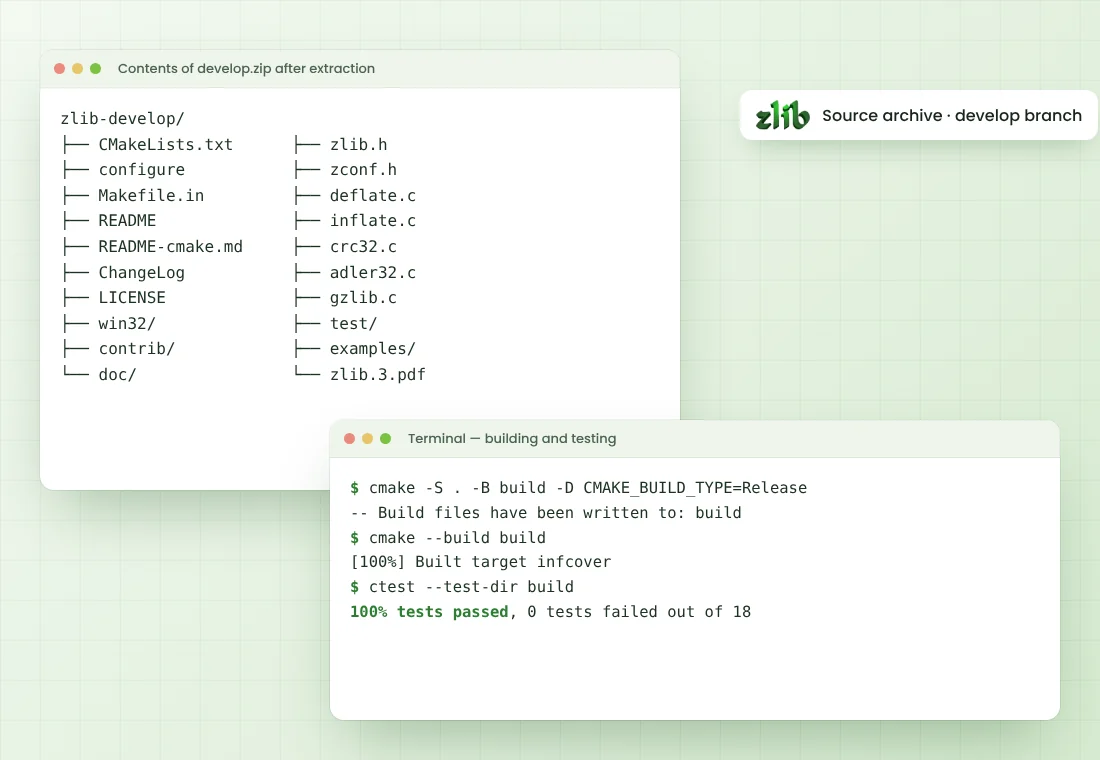
The complete develop-branch source archive includes C code, headers, documentation, examples and tests.
zlib source archive
Download zlibThe develop branch contains the newest code. For production work, review ChangeLog and run the bundled tests after building.
Safe Download Practices
Simple habits that keep the source you build from matching the source you meant to use.
Use the official source
The source archive comes directly from the official madler/zlib repository without repackaging.
Review the code
zlib ships as readable C source, so the full code can be inspected before it is built.
Track fixes
Read ChangeLog and update builds when security fixes land, especially for code handling untrusted input.
Verify your build
Run the bundled tests after compiling, and compare archive checksums when your process requires it.
zlib Pros and Cons
A fair look at strengths and limits before you add it to a project.
Pros
- Free for commercial and personal use under the zlib license
- Plain C with no external dependencies
- Readable by almost every language runtime and archive tool
- Streaming interface works with fixed, small buffers
- Full API documentation inside zlib.h
- Bundled tests and examples such as minigzip and zpipe
Cons
- Ships as source code, so you compile it yourself
- Ratios trail newer formats such as Zstandard or xz on many inputs
- Higher levels cost noticeably more CPU time for small gains
- The develop branch can change between downloads
- Low-level API needs careful buffer and return-code handling
Release and Version Notes
Details below come from the ChangeLog file in the develop branch at the time this page was prepared.
Selected changes listed for 1.4
- CMake library names changed on MSVC
- gzwrite() buffer overflow fixed
- Several fixes inside contrib/minizip
- Truncated stream detection improved in gzread()
- 64-bit file offsets on Windows via #defines
- Portability work for Android, AIX, PowerPC, s390x and Windows
The develop branch keeps moving after a release. Open ChangeLog in your download for the complete and current list of changes.
Common zlib Problems and Fixes
Typical build and runtime issues, with the change that usually solves each one.
zlib.h not found
Add the zlib source or install folder to the include path, and include the generated zconf.h from the build directory when building out of tree.
Undefined reference to deflate or inflate
Link the library with -lz, or target_link_libraries(app ZLIB::ZLIB), and confirm static or shared builds match your project.
Z_BUF_ERROR returned
The output buffer filled before the data finished. Allocate more space, or call deflate()/inflate() again with a fresh output buffer.
Z_DATA_ERROR on inflate
The input is corrupted, truncated, or uses another wrapper. Match windowBits to the format: 15 for zlib, 31 for gzip, -15 for raw DEFLATE.
Z_VERSION_ERROR
The zlib.h used at compile time and the library loaded at run time differ. Rebuild against one consistent copy of zlib.
CMake configure fails
Use CMake 3.15 or newer, clear the old build folder, and turn off ZLIB_BUILD_MINIZIP if its extra requirements are missing.
Latest zlib Guides
In-depth articles on building, using and comparing zlib.
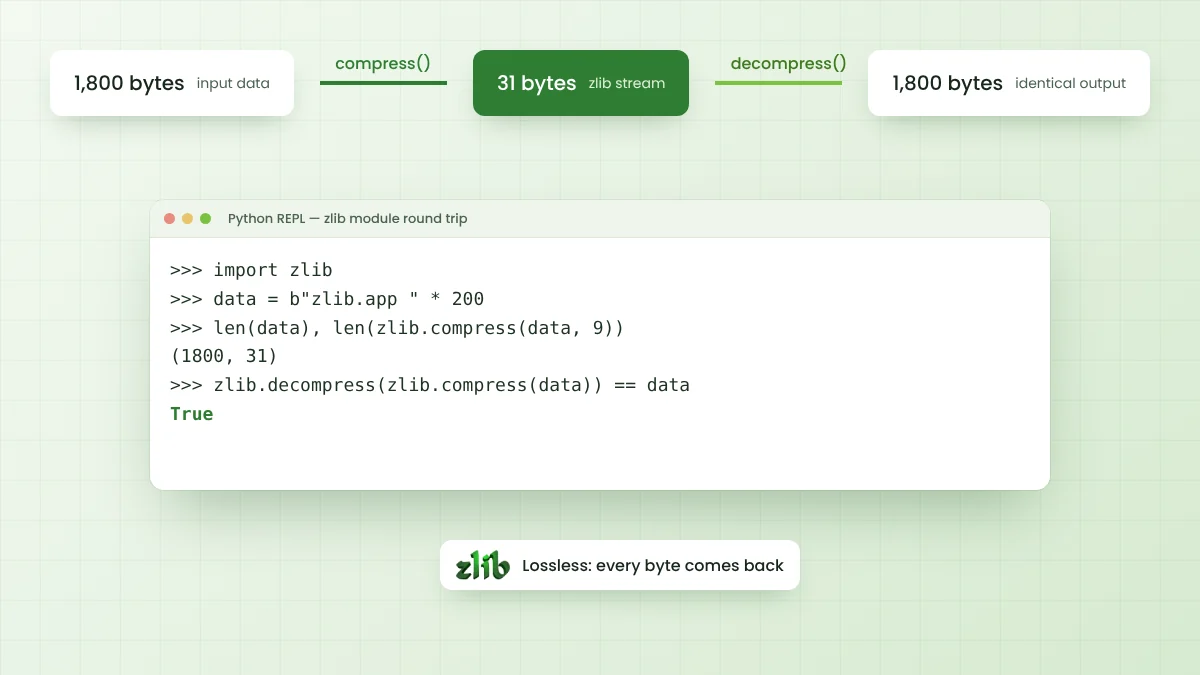
What Is zlib and How Does It Compress Data?
A clear introduction to the zlib library, the DEFLATE algorithm, its three stream formats and the places it quietly works every day.
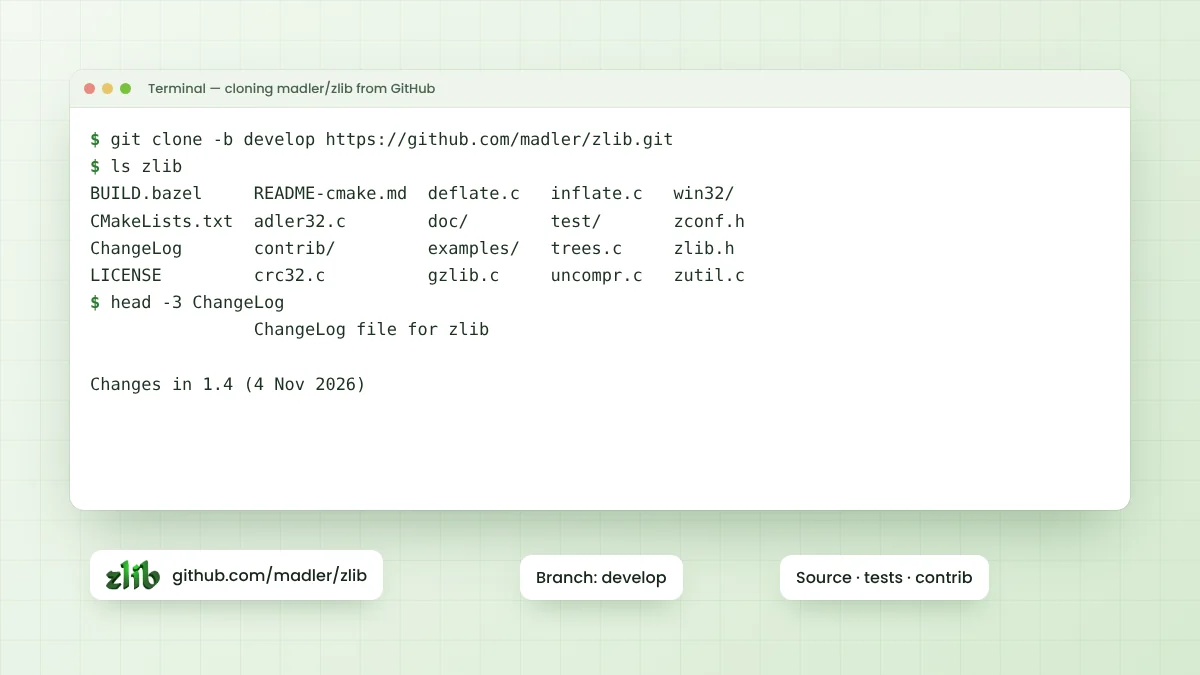
Zlib GitHub Repository: Branches, Folders and Source Code
Where the official zlib source lives, how branches and tags work, and what every folder in the madler/zlib…
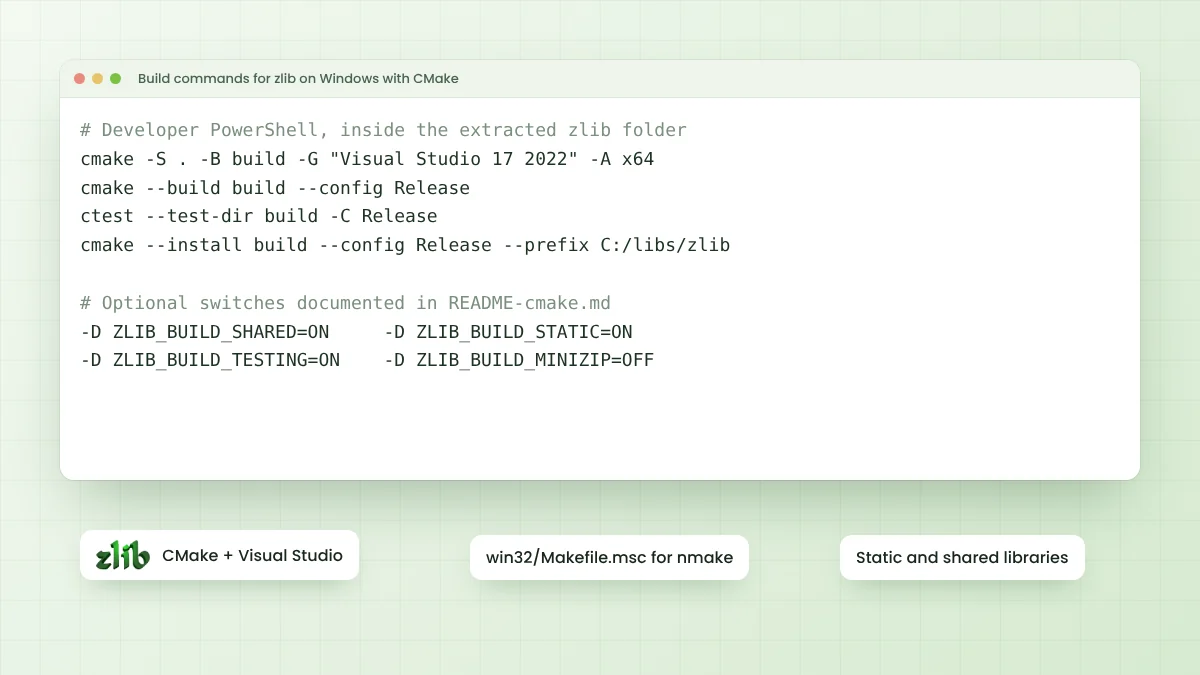
How to Build and Install Zlib on Windows?
Step-by-step Windows build with CMake and Visual Studio, plus the nmake route, useful options and fixes for…
Frequently Asked Questions
Quick answers about zlib, its download and everyday use in code.
About zlib
zlib is a general-purpose, lossless data compression library written in C. It implements the DEFLATE algorithm and reads and writes zlib, raw DEFLATE and gzip streams.
zlib was written by Jean-loup Gailly and Mark Adler, who hold the copyright listed in the LICENSE file. The public repository lives under the madler account on GitHub.
Yes. The zlib license allows use in commercial and private software, along with modification and redistribution, as long as the notice conditions in the LICENSE file are respected.
zlib is a programming library, not an end-user app, so there is no official zlib APK. Android apps reach it through the Android NDK, and APK files themselves are ZIP archives that rely on DEFLATE.
No. The source code downloads without any account. A GitHub account is only needed if you want to open issues or pull requests on the repository.
The source code is at github.com/madler/zlib. The project home page named in the README is zlib.net, which also hosts the zlib FAQ and manual.
DEFLATE is the compressed data format itself. zlib wraps DEFLATE data with a two-byte header and an Adler-32 checksum, while gzip uses a larger header and a CRC-32 checksum.
No. zlib is a data compression library for software developers. It has no connection with book or document sites that use a similar name.
zlib-ng and libdeflate keep DEFLATE compatibility with a focus on speed, while Zstandard, Brotli, LZ4 and xz use different formats with other speed and ratio trade-offs.
The download link points to the develop branch. When this page was prepared, its README and ChangeLog described zlib 1.4, dated 4 November 2026. Check ChangeLog after downloading to see what the archive contains.
Building and Using zlib
Install Visual Studio with C++ tools and CMake, then run cmake -S . -B build followed by cmake --build build --config Release. The win32 folder also holds Makefile.msc for nmake builds.
Inside the source folder run ./configure, then make test and make install. CMake works too with cmake -S . -B build and cmake --build build.
Level 6 is the default and a balanced starting point. Level 1 favours speed, level 9 gives the smallest output, and level 0 stores data without compression.
Z_BUF_ERROR (value -5) means no progress was possible, usually because the output buffer is full or more input is required. It is often recoverable by supplying more buffer space.
Z_DATA_ERROR (value -3) means the compressed input is corrupted, incomplete or in an unexpected format, for example gzip data passed to a zlib-only inflate setup.
Yes. Python has the zlib module, Node.js has node:zlib and Java provides java.util.zip with Deflater and Inflater. All of them read and write the same zlib format.
The README states that the code is thread safe, with caveats covered in the zlib FAQ. In practice each z_stream should be used by one thread at a time.
Use gzopen(), gzwrite() and gzclose(), or call deflateInit2() with windowBits set to 31 (15 plus 16) so deflate() produces a gzip wrapper.
minizip is a contributed package in contrib/minizip that reads and writes .zip archives on top of zlib. It is maintained separately from the core library.
Incompressible data can grow slightly. compressBound() returns the worst-case output size for compress(), and deflateBound() does the same for a configured stream.