zlib is a free, general-purpose data compression library written in C that shrinks data without losing a single byte. It implements the DEFLATE algorithm, wraps the result in compact stream formats, and gives programs a small, stable API that has stayed compatible for decades.
A Plain Definition of zlib
At its core, zlib is a piece of code that other software calls. A program hands it a block of bytes, receives a smaller block back, and can later turn that smaller block into the exact original data. Nothing is approximated, which is why the method is called lossless.
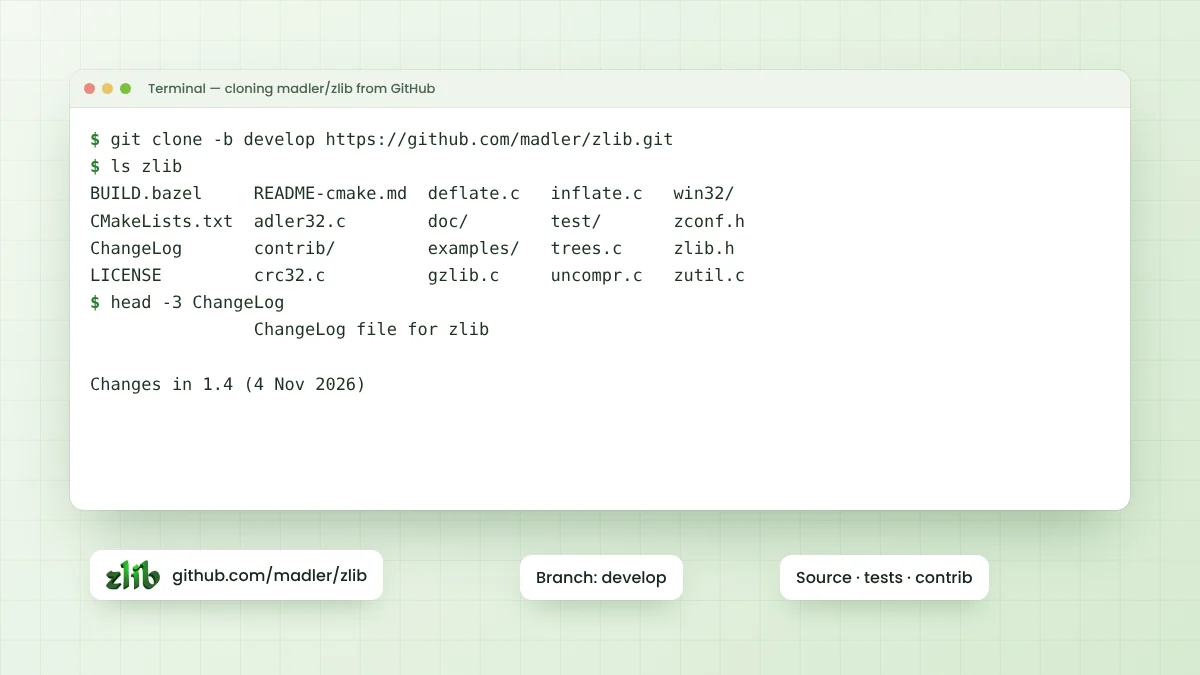
The library was written by Jean-loup Gailly and Mark Adler, who still hold the copyright shown in its LICENSE file. Its source code is published on GitHub under the madler account, and the project home page named in the README is zlib.net.
The Three Formats zlib Understands
People often mix up the words zlib, gzip and DEFLATE. They describe related but separate things, and zlib can produce or read all three. The choice is made with the windowBits parameter when a stream is set up.
| Format | Specification | Wrapper and checksum | Typical home |
|---|---|---|---|
| Raw DEFLATE | RFC 1951 | No header, no checksum | ZIP entries, APK files |
| zlib | RFC 1950 | 2-byte header, Adler-32 trailer | PNG images, Git objects |
| gzip | RFC 1952 | 10-byte header or more, CRC-32 trailer | .gz files, HTTP gzip encoding |
DEFLATE is the compressed data itself. The zlib format adds a tiny header and a checksum around it, while gzip adds a larger header that can carry a file name and timestamp. The zlib wiki reference breaks these bytes down further.
How DEFLATE Compression Works
DEFLATE combines two well-known ideas. The first is LZ77 matching, which spots byte sequences that already appeared recently and replaces them with a short pointer saying how far back to look and how many bytes to copy.
Sliding Window Matching
zlib keeps a sliding window of recent input, up to 32 KB in the standard configuration. Text, source code and structured data repeat words and patterns often, so many byte runs can be swapped for a distance and length pair that costs far fewer bits.
Huffman Coding
The second idea is Huffman coding. Symbols that appear often receive short bit codes, and rare symbols receive longer ones. DEFLATE applies this to both the literal bytes and the distance and length values, squeezing out the remaining redundancy.
What the zlib API Looks Like
Every public function is declared and documented in a single header, zlib.h. The API has two layers, so simple jobs stay simple and demanding jobs still get full control over memory and buffering.
compress()andcompress2()compress a whole buffer in one call, with an optional level.uncompress()restores a whole buffer when the original size is known or bounded.deflateInit(),deflate()anddeflateEnd()compress data piece by piece through az_stream.inflateInit(),inflate()andinflateEnd()decompress streams of any length.gzopen(),gzread()andgzwrite()work with .gz files much like standard file I/O.crc32()andadler32()calculate checksums on their own.
A Small Round Trip
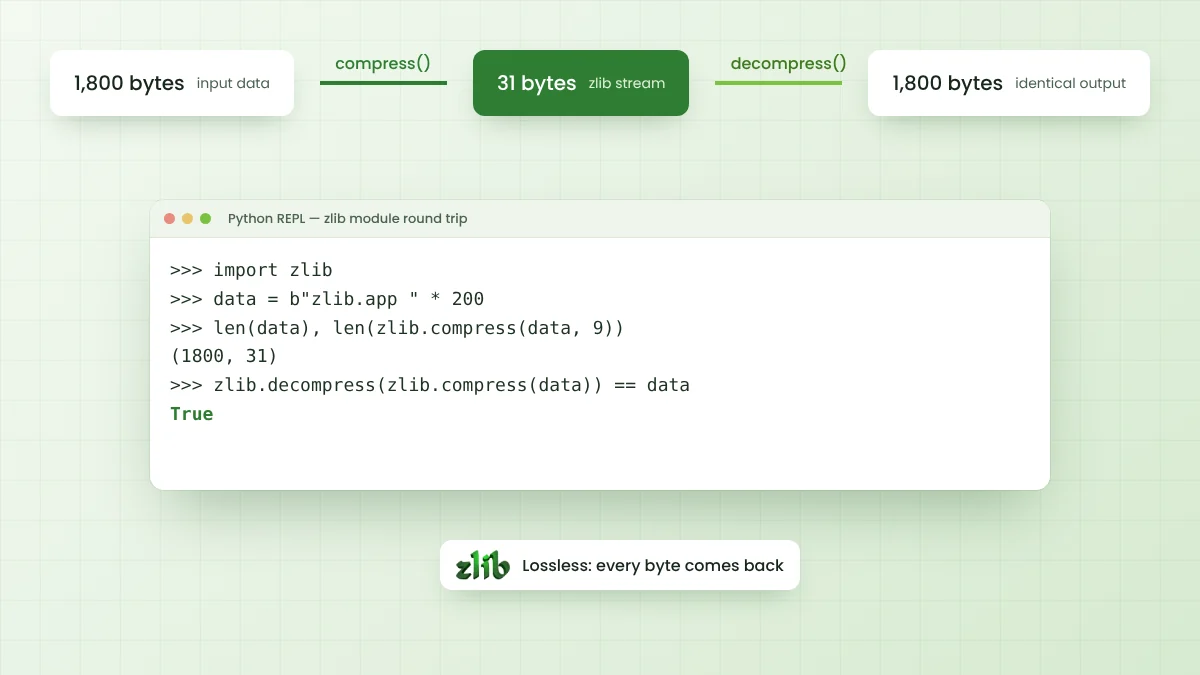
Language bindings make the idea easy to see. Python ships a zlib module that follows the same format, and the short session below shows 1,800 bytes shrinking to 31 bytes and returning unchanged. Highly repetitive input like this compresses far better than typical files.
>>> import zlib
>>> data = b"zlib.app " * 200
>>> len(data), len(zlib.compress(data, 9))
(1800, 31)
>>> zlib.decompress(zlib.compress(data)) == data
True
What Results Look Like on Real Files
Repetitive samples flatter any compressor, so a fairer test uses real text. Compressing the zlib ChangeLog file, 87,991 bytes of plain English and version notes, with the library built from the develop branch gave these sizes:
| Level | Output size | Share of original |
|---|---|---|
| 1 (fastest) | 36,956 bytes | 42.0% |
| 5 | 31,657 bytes | 36.0% |
| 9 (smallest) | 31,023 bytes | 35.3% |
The jump from level 1 to level 5 saves far more than the jump from 5 to 9. That pattern holds on most inputs, and the compression levels guide measures it across all ten settings with timing figures.
Where zlib Shows Up in Everyday Software
Most people never install zlib directly, yet their software uses it constantly. The library is small enough to embed and the formats are published, so many file types and protocols adopted it as their standard compression layer.
- PNG images store their pixel data inside a zlib datastream.
- Web servers and browsers use gzip and deflate content encoding to shrink pages in transit.
- Git compresses every stored object with zlib.
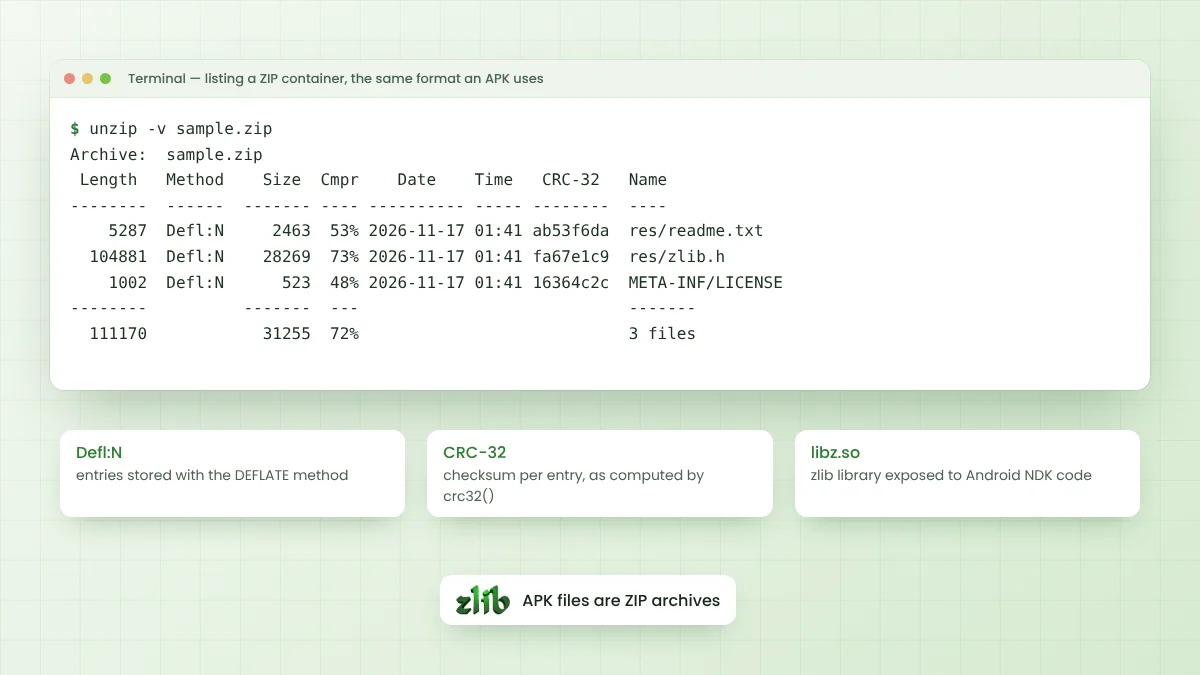
- ZIP archives, and the Android APK files built on them, commonly use DEFLATE entries.
- Language runtimes such as Python, Node.js and Java expose the same format through built-in modules.
Strengths and Limits Worth Knowing
zlib earns its place through stability and reach rather than record-breaking ratios. Data compressed today can be read by almost any platform, and the code needs only a C compiler. The zlib license also permits commercial use with very light conditions.
Newer formats such as Zstandard and xz usually produce smaller files, and some focus on far higher speed. When neither compatibility nor existing file formats tie you to DEFLATE, the zlib alternative comparison covers what else is worth testing.
How to Get the Library
The full source tree is available as a ZIP archive of the develop branch from the download section. Many systems also provide prebuilt packages, and most language runtimes already include zlib or an equivalent built-in module.
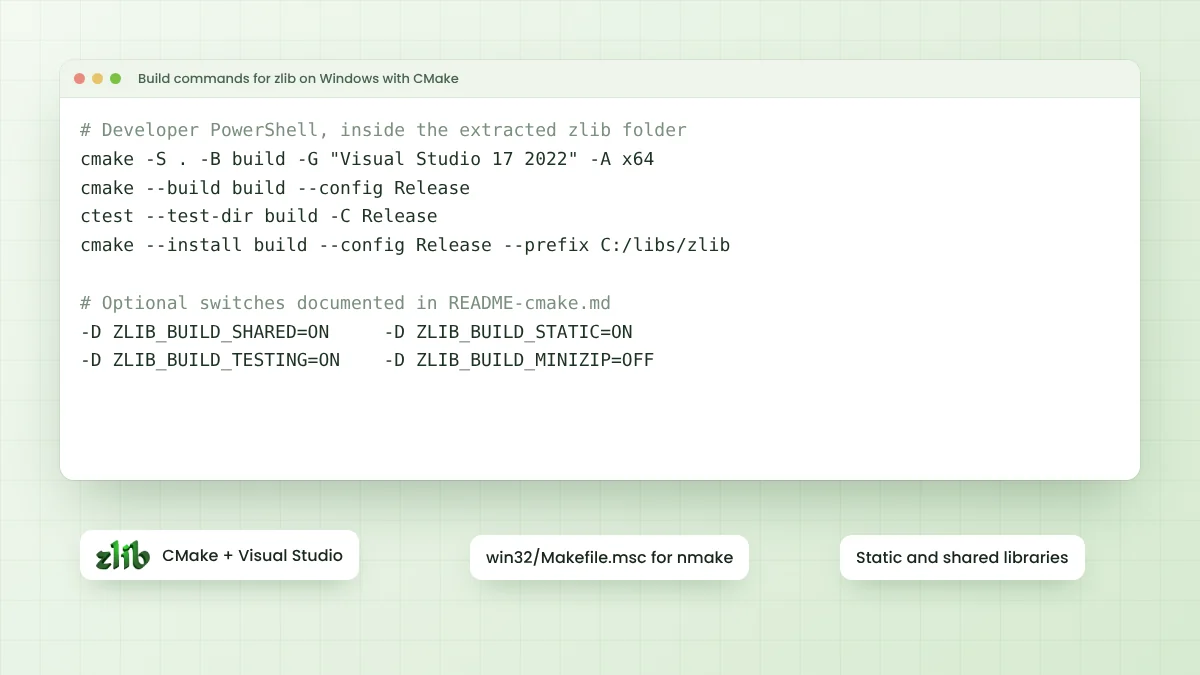
Building from source takes only a few commands with CMake or the classic configure script. Windows users can follow the zlib Windows build steps, while the zlib GitHub overview explains what each folder in the repository holds.
A Brief Note on Its Background
The copyright line in the current source runs from 1995 to 2026, which shows how long the code has been maintained. Across that time the data formats have stayed the same, so streams written by early versions remain readable by today's library.
Conclusion
zlib is a compact C library that turns data into smaller DEFLATE, zlib or gzip streams and restores it exactly. It powers PNG images, web compression, Git storage and ZIP archives, and its interface fits both one-line calls and fully streamed processing.
Understanding the three formats, the role of compression levels and the core functions in zlib.h covers most of what any project needs. From there, building the library or calling it from your favourite language is a short step.