Zlib compression levels run from 0 to 9 and control how hard the DEFLATE encoder searches for repeated data. Lower levels finish quickly with larger output, higher levels spend more CPU time chasing smaller files, and strategies adjust the method itself for particular kinds of input.
The Level Scale
Levels are passed to compress2(), deflateInit() or deflateInit2(). Each level maps to an internal table of search settings, including how many candidate matches the encoder checks and when it settles for a match that is good enough.
- Level 0 stores data in DEFLATE blocks without compressing it.
- Levels 1 to 3 use a faster matching path tuned for speed.
- Levels 4 to 9 use lazy matching, which checks whether a better match starts one byte later.
- Z_DEFAULT_COMPRESSION (value -1) currently maps to level 6.
Measured Results Across All Levels
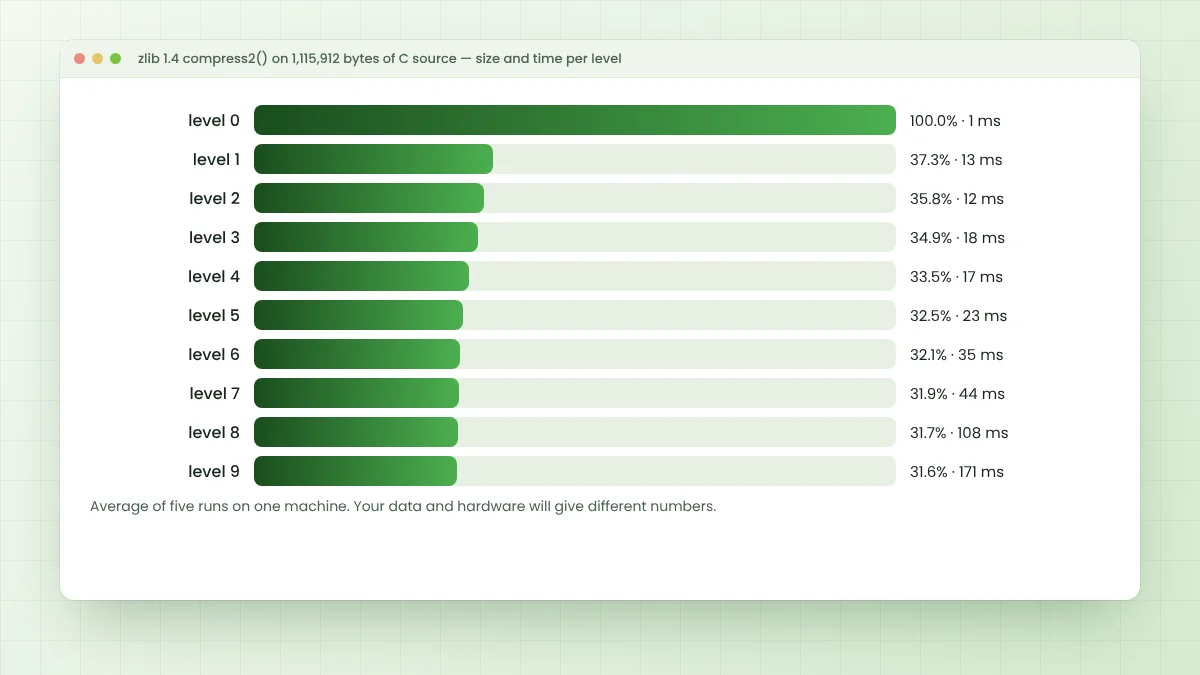
Numbers make the trade-off concrete. The full zlib C source, 1,115,912 bytes of .c and .h files, was compressed with compress2() from zlib 1.4 built in Release mode. Each timing is an average of five runs on a single machine.
| Level | Output size | Share of original | Average time |
|---|---|---|---|
| 0 | 1,116,008 bytes | 100.0% | about 1 ms |
| 1 | 415,796 bytes | 37.3% | 13 ms |
| 2 | 399,200 bytes | 35.8% | 12 ms |
| 3 | 389,289 bytes | 34.9% | 18 ms |
| 4 | 374,163 bytes | 33.5% | 17 ms |
| 5 | 362,384 bytes | 32.5% | 23 ms |
| 6 | 357,773 bytes | 32.1% | 35 ms |
| 7 | 355,855 bytes | 31.9% | 44 ms |
| 8 | 353,701 bytes | 31.7% | 108 ms |
| 9 | 353,079 bytes | 31.6% | 171 ms |
Reading the Results
Level 0 output is slightly larger than the input because stored blocks still carry headers. From level 1 to level 6 the file shrinks steadily, while the step from 6 to 9 saves just over 4,600 bytes yet takes nearly five times as long in this test.
Decompression speed barely changes with the level, since inflate does similar work whatever settings produced the stream. Spending extra time once at compression can still pay off for files that are written once and read many times.
Choosing a Level for Your Workload
| Workload | Suggested starting level | Reason |
|---|---|---|
| Live network traffic, logs | 1 to 3 | Low latency and CPU cost |
| General application data | 6 (default) | Balanced size and speed |
| Static web assets, releases | 9 | Compressed once, served many times |
| Already compressed media | 0 or 1 | Little to gain from more effort |
Treat these as starting points. Data type changes everything, so run a quick test on samples of your real files before fixing a level in production code.
Compression Strategies
The strategy argument of deflateInit2() changes how DEFLATE encodes data rather than how hard it searches. Most programs never touch it, yet the right strategy can help with images, sensor readings or other unusual input.
| Strategy | Behaviour | Good fit |
|---|---|---|
| Z_DEFAULT_STRATEGY | Normal matching plus Huffman coding | Most data |
| Z_FILTERED | Favours Huffman coding over short matches | Data from a filter or predictor, such as PNG rows |
| Z_HUFFMAN_ONLY | No string matching at all | Very fast passes, data without repeats |
| Z_RLE | Matches limited to distance one | Runs of repeated bytes, image data |
| Z_FIXED | Fixed Huffman codes only | Special cases needing simpler decoders |
Memory Settings That Interact with Levels
Two more parameters of deflateInit2() shape the result. windowBits sets the history size up to 32 KB, and memLevel, from 1 to 9 with a default of 8, sets how much memory the encoder uses for its internal hash tables and buffers.
Smaller values save memory on constrained devices but usually cost some compression. On desktops and servers the defaults are sensible, so change these only after measuring a real need.
z_stream s = {0};
int r = deflateInit2(&s, 6, Z_DEFLATED,
                     15,      /* windowBits: zlib wrapper, 32 KB */
                     8,       /* memLevel: default */
                     Z_DEFAULT_STRATEGY);
Changing Settings Mid-Stream
deflateParams() changes the level and strategy of an open stream. This is useful when data mixes easy and hard sections, or when a program lowers effort under heavy load. Read its notes in zlib.h first, because pending output must be handled correctly.
For advanced tuning, deflateTune() adjusts the internal search parameters directly. Few projects need it, and the presets behind levels 1 to 9 already cover the useful range.
Levels in Other Languages
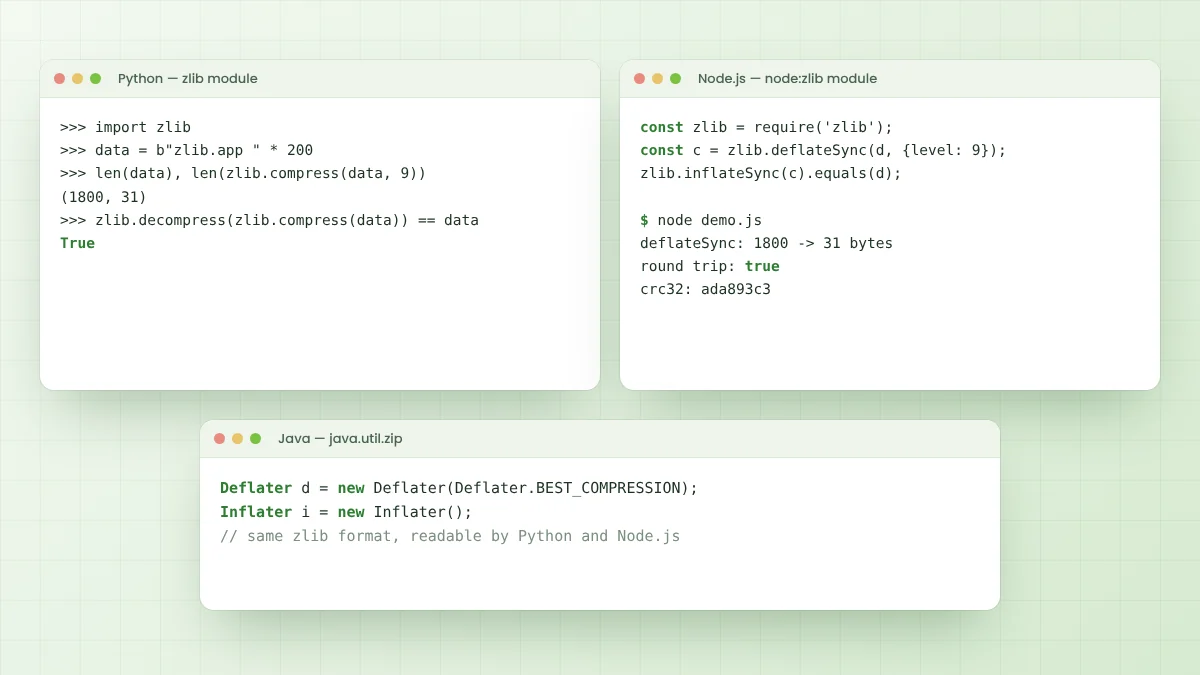
- Python:
zlib.compress(data, level)andzlib.compressobj(level, ...). - Node.js:
zlib.deflateSync(buf, {level: 9}). - Java:
new Deflater(Deflater.BEST_COMPRESSION)or any value from 0 to 9. - gzip command line:
gzip -1throughgzip -9.
The scale means the same everywhere because these bindings build on DEFLATE. The zlib app integration guide covers these languages in more depth.
Testing Levels on Your Own Data
A fair test uses a realistic sample, repeats each run several times and records both size and time. Keep everything else fixed, including buffer sizes and the build configuration, so that only the level changes between measurements.
Plot or tabulate the results and look for the point where extra time stops buying meaningful savings. For many text-heavy workloads that point sits between levels 5 and 7, but binary data can behave very differently.
Levels and Very Small Inputs
Tiny messages behave differently from large files. Header and checksum bytes form a larger share of the output, and there is little history to match against, so higher levels barely help. A preset dictionary usually gives better results for short, similar messages.
Frequently Asked Questions
Z_DEFAULT_COMPRESSION, value -1, which zlib currently maps to level 6, a balance between speed and size.
Not in any meaningful way. inflate does similar work regardless of the level used, so the cost of higher levels falls on compression.
Level 0 stores data in uncompressed DEFLATE blocks, and each block plus the zlib header and checksum adds a few bytes.
Only when files are compressed once and read often. In the test above, level 9 took nearly five times as long as level 6 for a small size gain.
Conclusion
Zlib compression levels trade CPU time for smaller output, with most savings arriving by level 6 and sharply rising costs beyond it. Strategies, windowBits and memLevel add finer control for unusual data or tight memory budgets.
Start with the default, measure with real samples, and move up or down only when the numbers justify the change.